
Bought the laptop -you're currently reading this on- in haste?
And now saving money and waaaiting.. to finally get a new one with a touchscreen?
You sure, you have a few years to waste waiting for the current one to die!?
Nooo! right? (That's what she said)
Guess what! AirBar is here for your sorry self.
So, no time for regrets. Just snap this baby to your geezer machine, and let it dive into the Fountain of Youth...
What is it? & how does it work?
AirBar is a USB-A device that adds a touchscreen to your laptop, be it a PC or a Mac (COOL. Isn’t it? I know!). It’s a simple and slim USB peripheral that attaches to the bezels of your laptop.
After plugging it into any of the USB-A ports of your laptop and properly setting it up, the AirBar blankets your display with "an invisible light field”, which Neonode calls- "zForce AIR technology." (Yeah, I know, it does sound a bit exaggerated.)
Anyway, AirBar emits a constant array of light-field across the display. When you touch anywhere on the screen, this field gets obstructed (by your finger) in that area, letting your laptop know what is to be done. Pretty smart implementation, if you ask me.
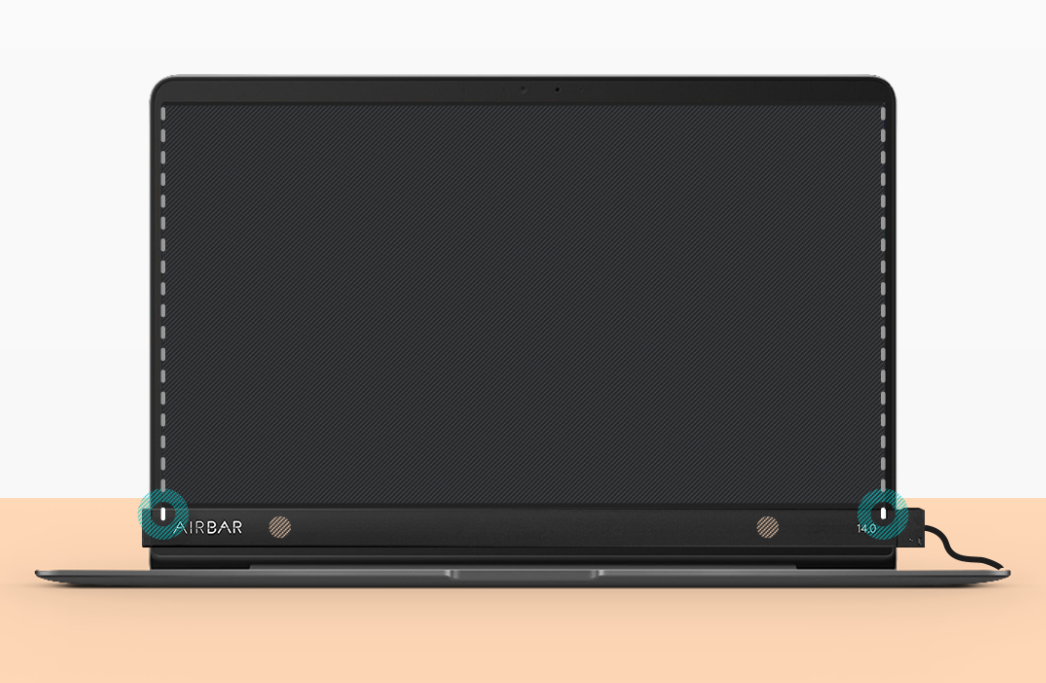
Once plugged in, AirBar does a remarkable job at turning your wrinkly old laptop into a touch-enabled one. You can do all sorts of daily pinching and scrolling with ease. It also recognizes your touches pretty accurately. You could even compare the overall experience to that of a native touch-screen laptop.
Isn’t it amazing? The rate at which tech has grown so crazy in such a short span! Now you don’t even have to regret not buying a touch-screen lappy. All you gotta do is- get hold of this little guy here…
AirBar.
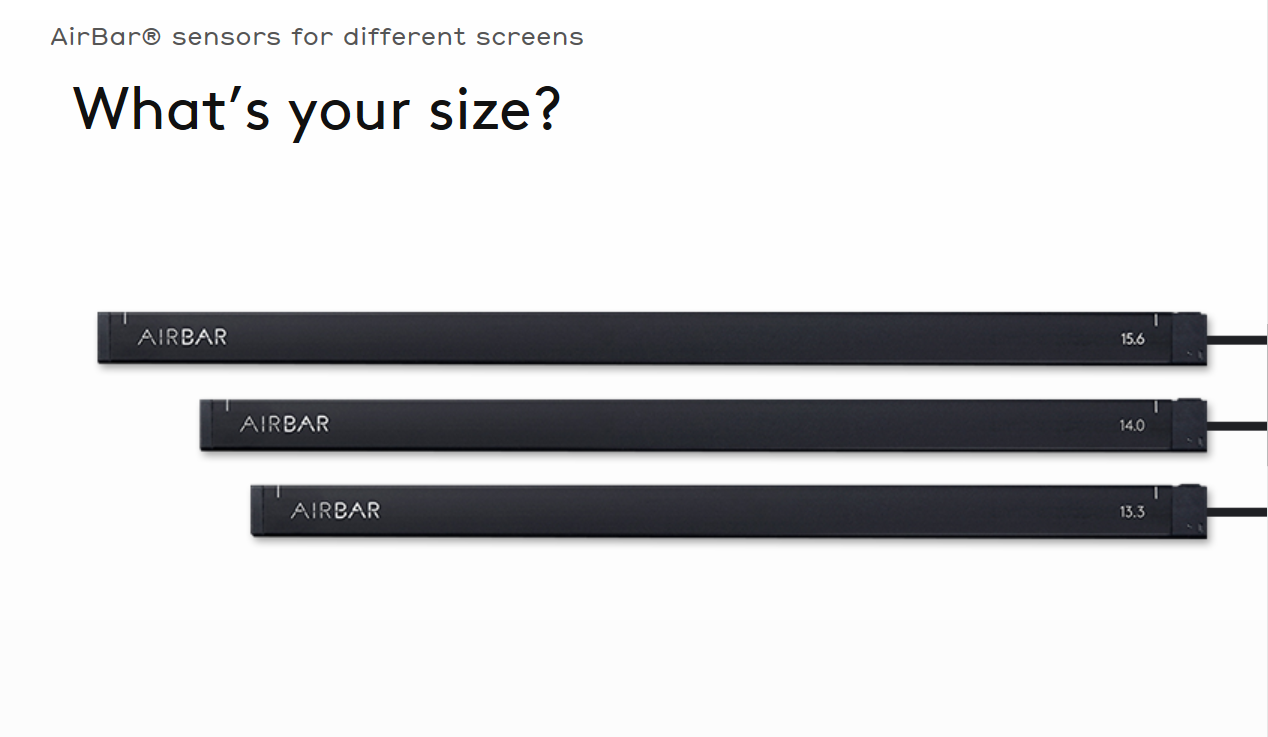
This sleek, yet affordable device lets you make things your way- touchy. AirBar is (almost) for everyone. It is available in sizes- 13.3; 14; and 15.6 inches; which is great for most laptops out there. But there is a prerequisite. Make sure your laptop has a thick bottom bezel, because that’s where your thin and sleek little buddy houses.
AirBar can be a utility for most of the basic stuff, but a lot cannot be expected of it. There are a few shortcomings which may be addressed with future firmware updates. For instance, it currently supports two-finger (at the max) gestures. So, you can’t try out other common gestures that require three fingers or more.
Though, I must say that during the tests, the touches were indeed accurate. We tested the gadget on these laptops:
1. Lenovo Z51
2. Asus Vivobook
3. MacBook Air
And after thorough testing, we came up with the following:
The Good:
1. It replicates the native touch-screen experience fairly well (provided used with the latest firmware).
2. Touches are pretty accurate.
3. Works with Windows, Linux, and Mac OS.
4. Would fit someone perfectly who wants to use it for basic day-to-day tasks.
5. It’s also got a built-in beeper which triggers whenever you accidentally try shutting the laptop lid with the gadget still on.
The Not-So-Good:
1. Not crazy precise like a native touch-screen. The extreme ends of the screen may at times be dead ends (Rarely happens and on some computers only).
2. Can’t be used for drawing and other precision-hungry stuff (Since not 100% exact).
3. The stock USB cable that comes with the product, in some cases, could be too short for laptops like Lenovo Z51. And to still use it, you’ll need an extension. Bit of a hassle if you ask me!
4. Your laptop has to have a USB-A port on the right side, for AirBar’s cable is undetachable. And, it wouldn’t work otherwise.
Our take:
Surprisingly, AirBar is accurate enough to be used in applications requiring somewhat precision. But I don't recommend using it for apps like Adobe Photoshop or even Lightroom, for that matter.
Why?
Because your laptop may be touch-enabled now but it's still not on par with a native touch-screen laptop. So, just don't get your hopes too high and don't expect the unexpected. Because, though, AirBar is marvelous at bringing a useful feature to your workstation, it can’t provide a 100% precision.
That said, AirBar’s still pretty handy. It would perfectly fit the person who needs a touch-based laptop for some basic or semi-professional work. Cause, it does a good job at helping you handle basic computing well while also making your everyday scrolling so much more intuitive!
NOTE: Rather than penetrating the AirBar in your laptop’s cute butt right away, you might wanna use protection: Read all the instructions and complete the full set-up on the official site. This also includes downloading the latest firmware because without that AirBar’s sense of direction is too bad to even find itself in the mirror.
(see what i did there?)
So, just do the right thing to increase the gadget’s responsiveness to a great extent!
MIND YOU.
The sample only shows my style of writing.
Don't you worry about the essential keywords and, more importantly, the comprehensiveness of your piece.
I've got it all covered!
